
How to Track Rent Payments Without Excel: A Simpler System for Landlords
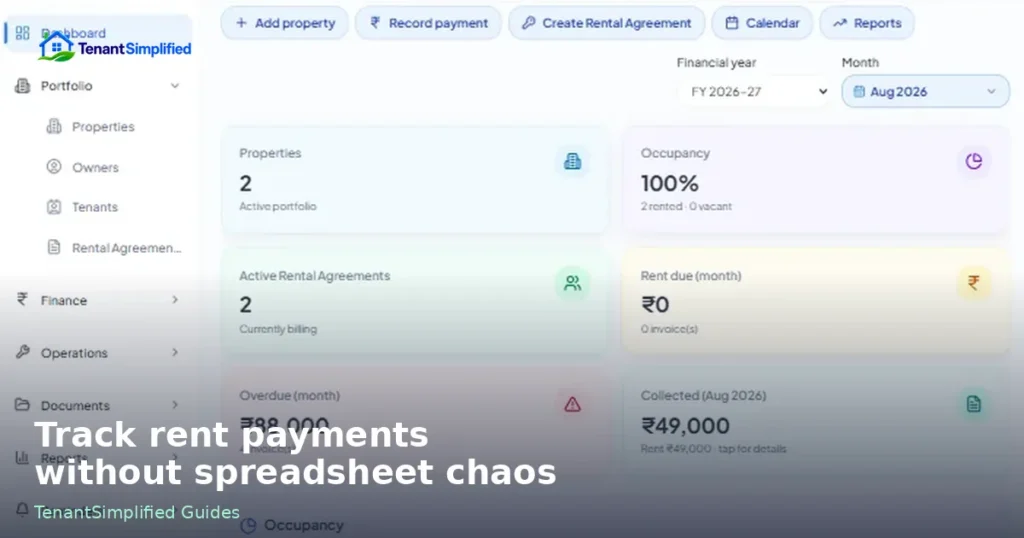
Most landlords start with a spreadsheet because it is familiar, flexible, and already on the computer. A sheet can list tenants, due dates, and a running total. For one or two units, that can be enough.
The trouble is rarely Excel itself. The trouble is what happens when rent tracking lives in one file, tenant details live in another, the rental agreement is in email, and last month’s payment screenshot sits in WhatsApp. The numbers can still be entered. Connecting them becomes the work.
This guide is a practical way to track rent due, payments received, and outstanding balances without depending on several disconnected files. It is written for landlords and property managers who want a clearer financial trail — whether they stay in a well-structured spreadsheet for now or move to a connected rental property management workspace later.
Why spreadsheets are the default
A spreadsheet is a good first system for a reason.
You can open it immediately. You can add a column when something new appears (GST, a late fee, a partial payment). You do not need to learn a product. For a small set of units, you can see the month on one screen.
Many landlords also already use sheets for other work — expenses, deposits, or a simple occupancy list — so rent tracking lands there by habit.
None of that is a mistake. A single, carefully maintained file is still better than memory plus a pile of bank SMS alerts.
Where disconnected spreadsheet workflows get hard
Problems show up when the same fact is stored in more than one place, or not stored at all.
Typical signs:
- The rent amount in the sheet does not match the latest agreement (a renewal happened, and only one file was updated).
- A tenant paid part of the month. The sheet has a note in a cell, but there is no clean record of what was due, what was paid, and what remains.
- Two properties share a similar tenant name. A payment gets logged against the wrong row.
- You change a due date in the agreement but the reminder sheet still uses the old date.
- At the end of the month you rebuild the picture from the bank statement instead of from the rent record.
None of this means spreadsheets “fail.” It means rent is not a standalone number. It belongs to a property, a unit, a tenant, and a rental agreement. When those records live in separate files, you become the integration layer.
If you already keep tenant records and rental agreements somewhere else, the spreadsheet is doing extra work to stay in sync.
What landlords should actually track
A useful rent system answers four questions without detective work:
- What rent was expected for this period?
- What was invoiced or marked as due?
- What was paid, when, and against which due?
- What is still outstanding?
Those four sit on top of a short set of records.
Expected rent
Expected rent is the amount that should come in for a period, based on the current agreement — not based on what you remember from last year.
It should be specific: this property, this unit, this tenant, this period (for example, September 2026), this amount, this due date. If GST or other charges apply in your workflow, they belong next to the expected rent, not in a side note you hope to remember.
When expected rent is clear, a late or missing payment is obvious. When it is not, you only notice a problem when cash feels short.
Invoices / rent due
An invoice or rent-due record is the formal “this is what is owed for this period.” Even if you do not send a branded PDF, you still need a due line: period, amount, due date, and who owes it.
That line is what a payment should attach to. Without it, a bank credit is just money in — not a closed rent period.
Payments
A payment record should include at least:
- Date received
- Amount
- Method (bank transfer, UPI, cheque, cash — whatever you actually use)
- Which rent due / invoice it applies to
- A reference you can find later (UTR, cheque number, receipt id)
Partial payments are normal. The system should accept them without turning the month into a comment in a yellow cell.
Outstanding amounts
Outstanding is not a vibe. It is expected (or invoiced) minus payments applied.
If a tenant paid ₹8,000 toward ₹22,000, the outstanding is ₹14,000 on that due — not “almost paid” in a notes column. When several months overlap, outstanding should be visible per period and, if useful, as a tenant total.
A financial trail you can reconstruct
Six months later you may need to answer: when was September rent due, what was paid, and what was left? A trail means you can reconstruct that from records, not from memory.
That usually means keeping the due, the payment, and the link between them — plus the agreement that justified the amount.
The chain that keeps rent records honest
A reliable rent workflow is a chain, not a single column:
Property → Unit → Tenant → Rental Agreement → Rent Due → Invoice → Payment → Outstanding Balance
- Property is the building or site you manage.
- Unit is the specific rentable space.
- Tenant is who is responsible for paying.
- Rental agreement sets the amount, start/end, and due rules.
- Rent due is the period’s expected amount, derived from that agreement.
- Invoice (if you issue one) is the document or record of that due.
- Payment is money received, applied to a due.
- Outstanding is whatever remains after payments are applied.
If any link is missing, you start guessing. A payment without a unit can be allocated to the wrong property. A due without an agreement cannot explain a rent change. An outstanding figure without payments cannot be audited.
This is also why copying last month’s row and overwriting the amount is risky: you destroy the trail for the previous period.
Rent and invoice records are most useful when they sit on this chain instead of in a standalone “money” sheet.
A simple operating rhythm (spreadsheet or not)
Whether you use one file or a connected system, the weekly rhythm is similar.
When a tenancy starts. Record property, unit, tenant, and agreement terms before the first due date. Do not wait until the first payment arrives.
When a period opens. Create the rent due (and invoice, if you use one) from the agreement. Do not type a new amount from memory if the agreement already has it.
When money arrives. Log the payment the same day if you can. Attach it to the due. If it is partial, leave the outstanding visible.
When something changes. Renewals, rent revisions, and tenant changes belong on the agreement first, then on future dues — not as a silent edit to an old row.
At month end. Review outstanding by tenant and by property. The point is not a prettier sheet. The point is knowing who still owes what, for which period.
If you cannot do that review without opening the bank app and three files, the system is already costing you time.
When it is worth moving beyond spreadsheets
Stay with a well-kept spreadsheet if:
- You have a handful of units
- One person updates the file
- Agreements rarely change
- You can still answer “what is outstanding for this tenant?” in a minute
Consider a connected system when:
- More than one person updates rent (you, a family member, a manager)
- You manage several properties and mix up similar names or units
- Partial payments and carry-forwards are common
- You want invoices and payments attached to the same tenancy record
- You need a month-end view across the portfolio, not one sheet per property
The switch is not that Excel is bad. It is that you should not be the person keeping five files consistent.
A connected property management reports view only helps if the underlying dues and payments were recorded against the right tenant and unit in the first place.
How TenantSimplified approaches this
TenantSimplified is rental property management software built so property, unit, tenant, and agreement records sit in one workspace with rent, invoices, and payments — instead of living in separate files you reconcile by hand.
The idea is the same chain described above: a payment belongs to a due, a due belongs to an agreement, and an agreement belongs to a tenant in a unit. Outstanding is calculated from those records, not typed as a separate truth.
If you want to see how those connected records look in the product, watch the TenantSimplified product tour.
If you want to see that workflow in one place, you can try the Free Beta (no credit card required) from the signup page you already use on this site.
You do not need to migrate everything on day one. Even moving expected rent, dues, and payments onto the same tenant record is a clearer starting point than another tab in the workbook.
A short checklist you can use this month
- Every active unit has a current tenant and agreement amount.
- This period’s expected rent exists as a due, not only as a bank hope.
- Every payment this month is dated, referenced, and applied to a due.
- Outstanding is visible per period.
- You can explain any rent change from the agreement, not from a overwritten cell.
If those five are true, you already have a simpler system than “a spreadsheet plus memory.” The tool — sheet or software — is there to keep the chain intact.
FAQ
Do I need invoices if tenants already know the monthly rent?
Not always as a formal PDF. You still need a due record for the period so a payment has something to close. Without that, you cannot cleanly show outstanding.
How should I handle a payment that covers two months?
Split the application: assign part to the older due first, then the current one. Keep both period records. Do not collapse two months into one row if you will need the trail later.
What if a tenant pays before the due date?
Record the payment with the real date and apply it to the upcoming due. Early payment is still a payment against a specific period.
This article is general operational guidance for landlords. It is not legal, tax, or accounting advice.